
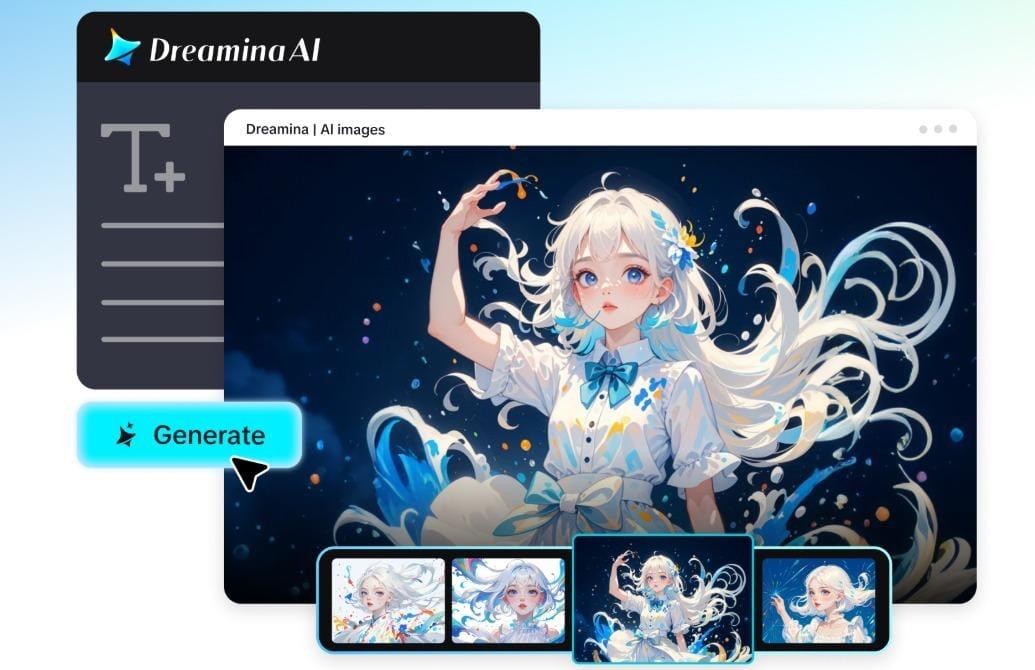
When people shop online, they are often looking for answers to questions when determining if a product is right for their needs. Questions can include materials, sizes, compatibility, usability, care, or usage. These details are sometimes hard to grasp at a quick glance in lengthy product descriptions. These questions are translated into short videos that provide visual, “FAQ”-style explanations that convey critical information. Answers are easy to follow with product demonstrations, animated text, and presenter-led explanations. These videos also assist ecommerce brands in structuring product data into digestible content. Dreamina’s Marketing Studio is an AI-driven tool that enables the creation of product-centric videos and promotional visuals. It offers product references, AI avatars, creative prompts, and video generation capabilities to facilitate various storytelling strategies. This enables brands to use common shopping queries and answer them in the form of information for marketing.
Why FAQ Videos Are Useful for Product Marketing
FAQ videos break down product information, explaining key product specs in easy-to-understand visual sequences. Brands can show pertinent details instead of using words to describe every feature. This method is useful for explaining complex functions, differences in materials, and applications. Dreamina’s marketing creative studio allows product-based advertising video creatives based on uploaded references and customisable creative instructions. Recurring questions can be answered in individual clips without overloading viewers with information not relevant to their questions. Brands can emphasize dimensions, instructions, compatibility, and unique product features. These videos also serve as valuable assets for ecommerce listings, social media, and promotions. Visual answers enable people to make informed browsing decisions and to comprehend critical information about the product. Clear demonstrations also set realistic expectations prior to purchases.
Choose the Right Questions Before Creating Your Videos
Good FAQ videos start with questions that need a clear answer. First, check out product inquiries, customer support messages, and commonly discussed specifications. Distinguish between general questions and questions about specific features to create helpful sections for content. Often, a topic for a video can be found in functionality, appearance, materials, and compatibility. Focus on questions that can be demonstrated as opposed to written answers. For instance, if you have an adjustable part, it’s easier to understand if you show it moving. Do not “mash up” questions, as short videos require one obvious purpose. Produce precise responses based on verified specifications, instructions, and product documentation. Group questions into introductory, technical, and practical questions. This is a stable sequence of content for various shopping requirements.
Create FAQ Style Videos for Shoppers with the AI Marketing Studio
Step 1: Set Up Your Shopper Question and Presenter
- First, sign up or log in to Dreamina to start building your shopper FAQ video.
- Next, head to “Marketing Studio” on the left bar, where creation tools wait for you.
- You can choose “AI video” for video creation, or “AI image” for image creation. The “AI agent” option handles both image and short video creation for your shopper FAQ.
- Then, in “AI video”, select “Change style” to pick the specific look of your FAQ.
- Click “Product” to upload your product photo, then click “Avatar” to bring in a presenter. You can also choose from the library, which already holds many existing products and avatars.
- Later, write a prompt that describes how you want your video to look and feel. Feel free to add custom direction, such as the shopper question, tone, or answer length.
Step 2: Choose Models, Format, and Length for Your FAQ Clip
- Click the “Reference” tab and add a video showing the AI your preferred FAQ look.
- Next, you can choose models like HappyHorse 1.1, Dreamina Seedance 2.5, and Dreamina Seedance 2.0. Dreamina Seedance 2.0 Fast, Dreamina Seedance 2.0 Mini, Wan 3.0, and others suit quick answers.
- Now pick a custom aspect ratio and resolution from the “Aspect ratio” and “Resolution” tabs.
- Click the “Duration” tab to select a custom video length that suits your FAQ answer.
- Also, use the “@” option to mention or highlight the specific product within your answer.
- Finally, click on the “Generate” tab to begin creation of your shopper FAQ video clip.
Step 3: Review, Refine, and Download Your FAQ Video
- Watch the finished video on full screen to see how shoppers might react to it. Then check the product framing, the avatar’s delivery, and the pacing to keep answers clear.
- If the answer misses the mark, click “Edit prompt” or “Regenerate” to refine the output.
- You can also edit the generated video with the “Edit in canvas” option for polish. Here, you can edit with full freedom, replace backgrounds, add effects, and crop the video.
- Once you are satisfied with the result, click “Download” to save the final video file. Then share it across your marketing channels to reach more shoppers and answer their doubts.
Creative FAQ Video Formats to Explore
Varying presentation formats enable you to convey product answers without boring videos. Select a format based on the question, product features, and audience. Product references, avatars, and customizable instructions are some of the creative ways Dreamina’s Marketing Studio can help.
- Question and answer videos with an AI avatar: The AI avatar poses a shopping question and narrates the answer in a concise manner.
- Product demonstration clips: Demonstrate practical uses, how to use, variable parts, or the product in use.
- Focused videos: Use close-up images of the product to describe each specification, material, size, and compatibility.
- Side-by-side comparisons: Make visual comparisons of product variations that are clearly labeled and indicate relevant differences.
- Film clips with animated text: Present questions with on-screen text before showing short answers and product images.
These formats are used for various informational purposes and help to diversify product marketing.
Write Better Prompts for Clearer Product Explanations
Dreamina’s Marketing Studio generates videos that are more creatively focused by using specific prompts. First, you should determine the specific shopping question that each video will address. Explain the features of the product that need attention and why it is practically important. Where appropriate, add verified measurements, materials, functions, or compatibility information. If a presentation is to be made using an avatar, indicate how the presenter should sound, how the presenter should move, and where the presenter should look on the screen. Explain background, lighting, camera movement, and desired visual composition. Ask for easy transitions between the start of the question and the explanation. Say whether or not close-ups, animated labels, or demonstration sequences should be used with narration. Appearance and storytelling can be further explained through reference images and videos. Don’t make performance claims that are not supported or invented specifications. Correct directions ensure that the visuals created are in line with the information about the products.
Adapt FAQ Videos for Different Marketing Channels
With some formatting changes, one FAQ may be transformed into multiple marketing tools. Vertical videos are good for short-form social media placements that are compatible. Landscape versions are ideal for websites and supported video ad formats. Square compositions are another way to get compatible promotional placements. In Dreamina’s Marketing Studio, creators can modify the available video dimensions and output settings. It has reusable product assets and avatars to keep the visuals recognizable. Other translation tools supported prepare localized content for various language markets. Carefully translate on-screen text and spoken explanations before publishing. Review terminology, measurements, and product specifications in each version. Product appearance is maintained across various creatives with consistent references.
Conclusion
FAQ-style videos convert the recurring questions people have when shopping into a visual explanation. They are useful in communicating product features, practical functions, materials, and specifications clearly. Dreamina’s Marketing Studio combines product references, AI avatars, creative prompts, and video customization options. These features enable various ecommerce listing and promotional strategies. The selection of questions and the accurate instructions continue to be of great importance in the process of creation. Products are explained effectively, and shoppers are guided purposefully. Brands can structure helpful responses into targeted videos, making product info more easily accessible.

Anna Hans
Anna leverages her expertise in AI and marketing to craft engaging, impactful content that resonates with audiences and drives results.
View all postsComments 0
No comments yet. Start the conversation!