
Most people only need to split a PDF a few times a year, usually to pull one contract page out of a scanned bundle or separate a single invoice from a batch of statements. Installing a desktop program for that kind of occasional task rarely makes sense. The simpler route is to split a PDF without installing anything, using a browser-based tool such as the one at split a PDF without installing anything, where you upload a file, choose the pages you want, and download the result without ever touching your computer’s software list.
This guide walks through when splitting a PDF actually matters in day-to-day business work, what to look for in a browser-based splitting tool before you trust it with sensitive documents, and how the process typically plays out across a few common industries.
Why Businesses Split PDFs More Often Than They Expect
A single PDF rarely stays a single document for long. Scanned intake packets, signed contracts, and multi-page reports often need to be broken apart so that one section can be routed to a different person, filed under a different client, or sent to a different department. A 40-page lease package might need to become one file for the tenant’s copy and one for the property manager’s records. A batch-scanned stack of patient forms might need to be split into individual patient files before anything gets filed correctly.
Doing this by hand, printing and re-scanning, or copying pages one at a time, wastes time and introduces errors. A browser-based splitter handles it in a few clicks and keeps the original formatting intact.
Where Splitting Comes Up Across Industries
Real Estate
Property files tend to arrive as one long scan: the purchase agreement, disclosures, inspection report, and addenda all in a single PDF. Agents and transaction coordinators often need to split that file so each party receives only the section relevant to them, without redistributing the entire package every time.
Healthcare
Patient intake and consent forms are frequently scanned in batches at the front desk. Splitting these into individual patient records is a routine administrative step, and because the documents involve protected health information, it matters that the tool used has a signed BAA available and handles the files under HIPAA rather than through a generic, unsecured uploader.
HR and Onboarding
New-hire paperwork, offer letters, W-4s, I-9s, and policy acknowledgements, often gets bundled into one onboarding PDF for convenience during signing, then needs to be split back apart afterward so each document lands in the correct personnel file.
Legal, Accounting, and Field Work
Law firms split scanned case files into individual exhibits. Accountants separate multi-client statement batches during tax season. Construction and insurance teams working from a phone or tablet in the field often need to pull one page out of a longer inspection or claims document before sending it back to the office, which is where a browser-based tool has a clear advantage over anything requiring installation.
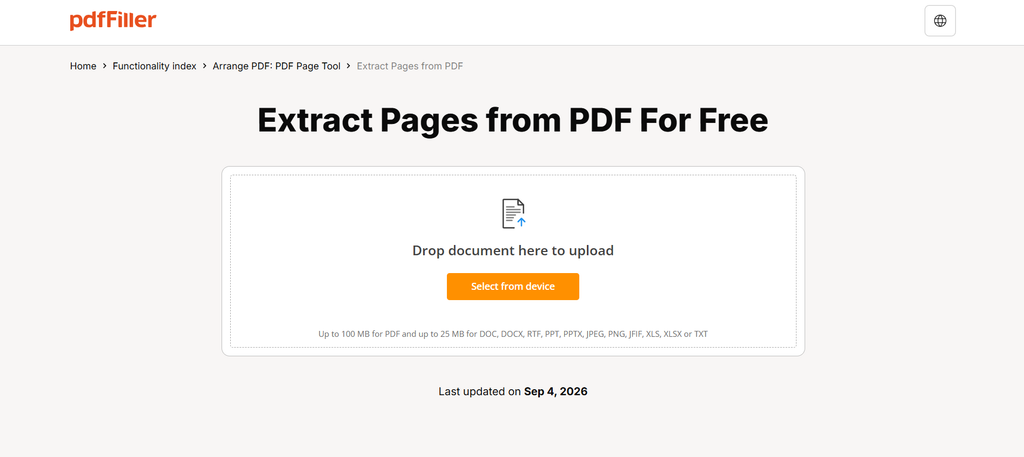
Alt text: pdfFiller PDF splitting tool upload screen showing a file being added.
What to Look for in a Browser-Based PDF Splitter
Not every online tool that claims to split PDFs is built with business documents in mind. Before uploading anything containing client, patient, or employee information, a few things are worth checking.
Security in transit and at rest: Files should be protected with 256-bit AES encryption both while uploading and while stored, so a document isn’t exposed at any point in the process.
Where the document goes afterward: A tool worth trusting for recurring work keeps documents in the user’s private account rather than sharing them with third parties or using them to train AI models, and hosts them in SOC 2 Type II-certified data centers with active threat monitoring.
An audit trail: For anything that might later need to be verified, knowing who viewed, edited, or shared a document, and when, adds accountability that a simple file-splitting utility often skips.
Compliance coverage relevant to the industry: Healthcare teams need HIPAA coverage with a BAA option. Anyone handling EU or California residents’ data benefits from GDPR and CCPA alignment. Education-related paperwork falls under FERPA. Payment-adjacent documents benefit from PCI DSS practices.
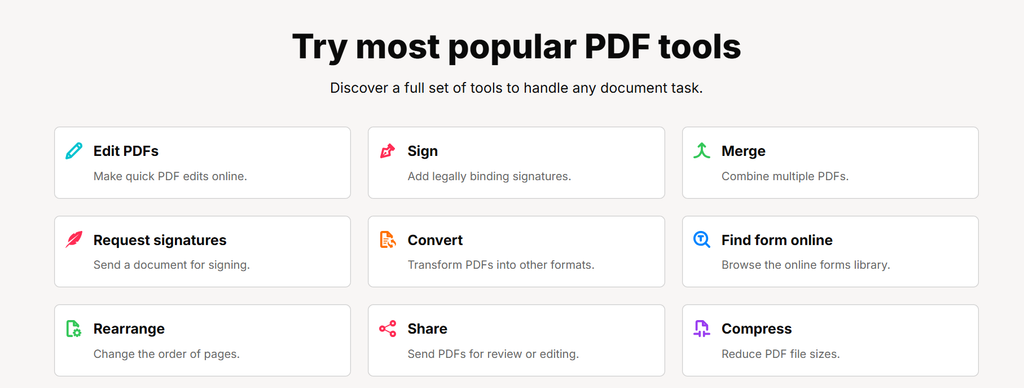
pdfFiller features page showing different tools
How the Process Works in Practice
The typical workflow for splitting a PDF without installing software follows a predictable pattern:
- Upload the PDF through the browser, no account software or plugin required.
- Select the pages or page ranges to separate, either extracting specific pages or splitting the file into multiple smaller documents.
- Preview the split before finalizing it, to confirm the right pages landed in the right output file.
- Download the resulting files, or in some workflows, send them directly for signature using fill and sign or eSign features if the split documents need a signer.
Because the tool runs in the browser, the same process works whether the person doing the splitting is on a laptop, an iOS device, or an Android device, all of which are supported without a separate download for each platform. A 30-day free trial is available for teams who want to test the workflow with real documents before committing to it.
Compliance Is Not Optional for Business Documents
Splitting a lease agreement is a different task, security-wise, than splitting a family photo album. Business documents frequently contain personal, financial, or health information, and the legal frameworks around that data don’t relax just because the task is “only” splitting a file rather than editing it.
A tool built for this kind of work supports two-factor authentication, per-document password protection, signer authentication, and document expiry dates, so a split file doesn’t remain accessible indefinitely after it’s served its purpose. Electronic signatures applied to any resulting document are recognized under the ESIGN Act and UETA in the U.S., and under eIDAS in the EU, which matters when a split document, like one page pulled from a larger contract, still needs a valid signature attached to it later.
FAQ
- Can I split a PDF without installing any software?
Yes. Browser-based tools by GoOnlineTools let you upload a file, select pages, and download the split output entirely within a web page, with no desktop or mobile app installation required.
- Is it safe to split PDFs containing patient or client information online?
It can be, provided the tool uses encryption in transit and at rest, keeps documents in a private account, and offers HIPAA compliance with a signed BAA for healthcare-related files specifically.
- Do I need to install an app to split a PDF on my phone?
No, browser-based splitting works on mobile devices through iOS and Android apps or directly in a mobile browser, without a separate installation step for each device.
- What happens to my file after I split it online?
With a compliant tool, the original and split files stay in your private account, are not shared with third parties, and are not used to train AI models.
- Can I split a PDF and then send the separated pages for signature?
Yes. Many browser-based tools that support splitting also support fill and sign and eSign features, so a split page can be routed for signature immediately after separation.
- Is splitting a PDF the same as merging or rearranging one?
No. Splitting separates one document into multiple files or extracts specific pages, while merging combines multiple files into one, and rearranging changes page order within a single document, all of which are typically available in the same tool.

Amelia
Amelia is a skilled writer specializing in AI, creating engaging content that informs and inspires. She stays ahead of the latest trends to help businesses connect with their audience in a rapidly evolving digital world.
View all postsComments 0
No comments yet. Start the conversation!